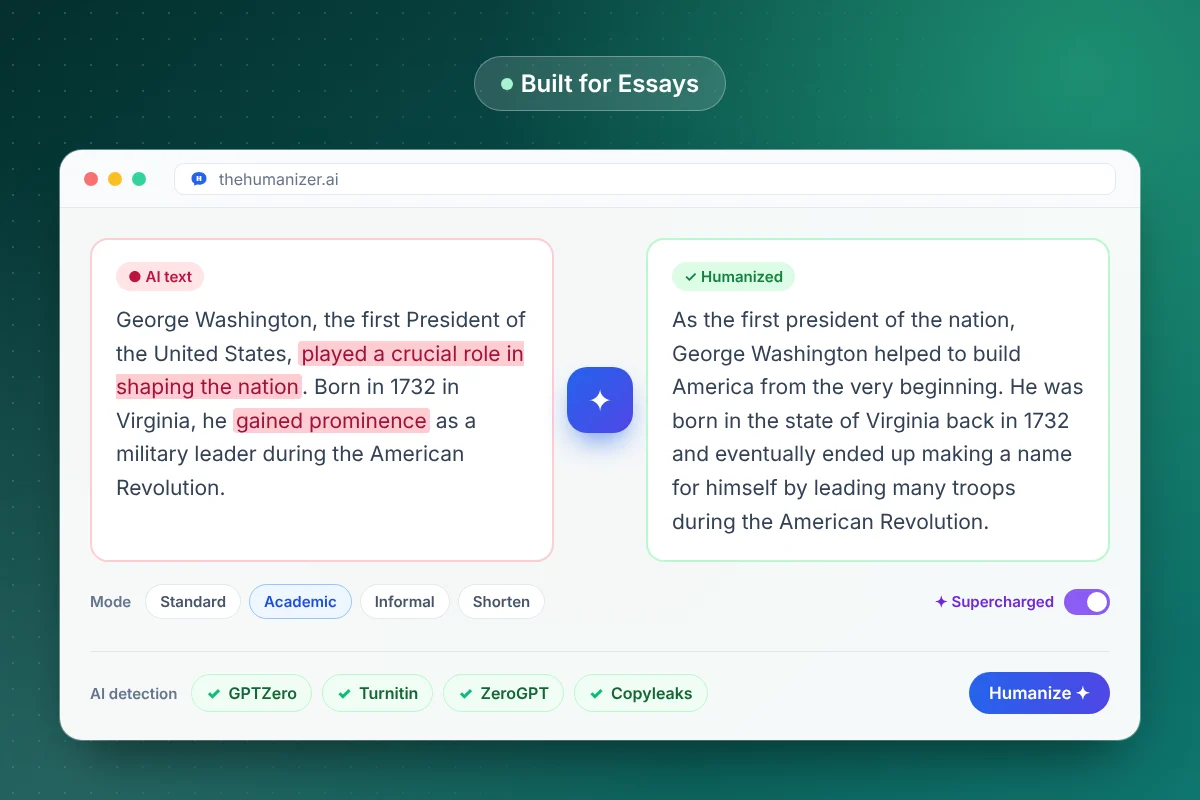
Why AI-written essays get flagged
AI essays share a recognizable shape. A thesis that restates the prompt. Body paragraphs that each open with a topic sentence, list three supporting points, and close with a mini-summary. Transitions like "Furthermore" and "Moreover". A conclusion that begins "In conclusion" and repeats the introduction.
Detectors are trained on millions of these. Turnitin flags passages it considers AI-written and reports an overall AI percentage to your instructor — see can Turnitin really detect ChatGPT? for how that works. GPTZero scores the same predictability at the sentence level. Our dedicated guides cover bypassing Turnitin and bypassing GPTZero in detail.
How to humanize an essay without losing your argument
The best results come from a workflow, not a single click:
- Own the outline. Decide your thesis and the order of your points yourself — that's the part your instructor is grading.
- Humanize body paragraphs first. They carry the most text and the most detectable patterns.
- Use Academic mode so the register stays formal enough for coursework.
- Keep quotations and references out of the rewrite or check them afterwards — quotes must stay word-for-word.
- Read it aloud once. If a sentence doesn't sound like you, change it. Your own edits are the most human signal there is.
Our full tutorial on how to humanize a ChatGPT essay walks through each step with examples.
Academic mode vs Standard mode
Academic mode keeps a formal, discipline-appropriate tone. It avoids slang and contractions where they'd look out of place, keeps technical terms intact, and produces the measured voice most essays need — just without the robotic uniformity of raw AI output.
Standard mode is a little more relaxed. It suits personal statements, reflective essays, and discussion posts where a natural, first-person voice works better than formal prose. If you're unsure, run one paragraph through each and compare.
Long essays: use Supercharged mode
For best results, standard humanization works on up to 400 words per run. Essays are usually longer, so you have two options:
- Humanize section by section — fine on the Free and Basic plans. Keep each chunk under 400 words and split at paragraph breaks.
- Use Supercharged mode on Pro or Ultimate — it handles longer texts in one pass and keeps the voice consistent from introduction to conclusion.
For a sense of scale: Basic's 15,000 words a month covers roughly seven 2,000-word essays; Pro's 50,000 covers about twenty-five, plus Supercharged mode. See plans and pricing.
What to check before you submit
Two minutes of checking saves a lot of trouble:
- Quotes are word-for-word and still attributed correctly
- Citations and reference formatting (APA, MLA, Chicago) are untouched
- Numbers, dates, and names match your sources
- Discipline-specific terms are still the correct ones
- Word count still meets the brief — use our word counter
- Readability fits your level — try the readability checker
Want a final sanity check? Paste the essay into our free AI detector to see which sentences still read as machine-written, then re-humanize just those.
A note on academic integrity
AI policies vary a lot between schools, departments, and even individual courses. Many allow AI for brainstorming, outlining, or editing, but not for writing graded work. Before you use any AI tool on an assignment, read your syllabus and your institution's academic integrity policy.
Used well, The Humanizer helps you turn rough AI-assisted drafts into writing that reflects your own understanding — and protects you from false flags on work you wrote yourself. More on that in our guide for students.