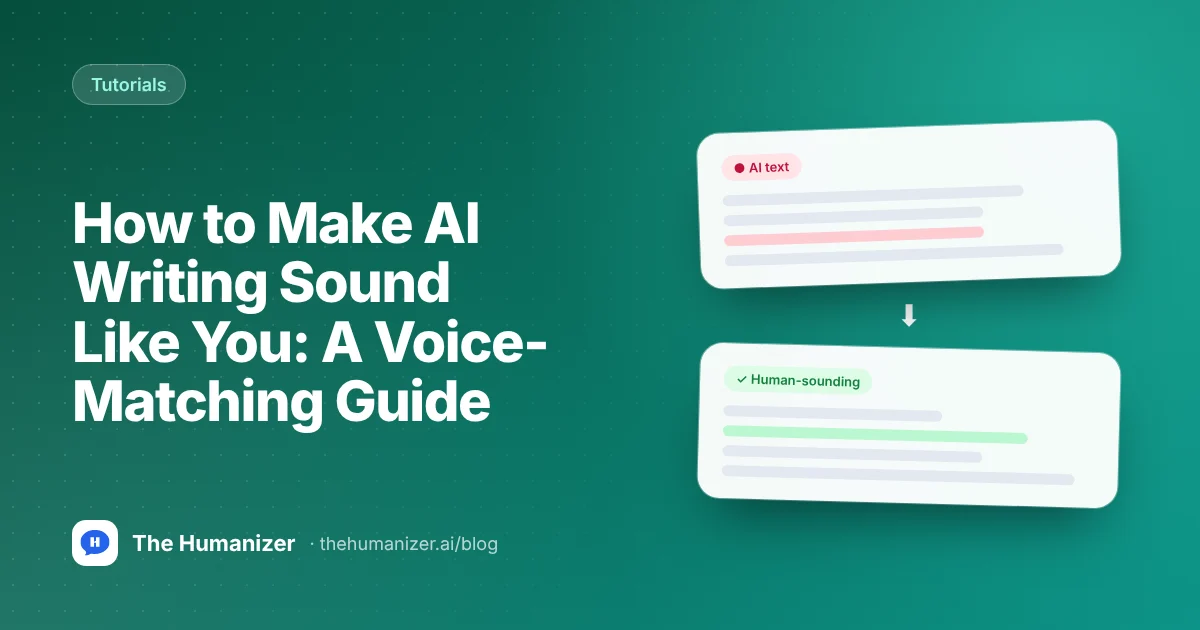
How to Make AI Writing Sound Like You: A Voice-Matching Guide
Build a voice profile from your own writing, prompt with real samples, edit for your words and rhythm, add personal details, then humanize the final draft.
Key takeaways
- AI drafts sound generic because models default to safe, average phrasing unless you show them how you write.
- Build a short voice profile from three to five pieces of your real writing: sentence length, favorite words, tone and habits.
- Prompt with the profile and one or two samples, and ask the AI to list what it noticed before it writes.
- Edit for your own words and rhythm, then add details only you know, such as examples, opinions and lived experience.
- Humanize last and read the draft aloud, restoring any quirks that make it sound like you.
In this guide
- Why doesn't AI writing sound like you?
- Step 1: Which writing samples should you collect?
- Step 2: How do you build a voice profile?
- Step 3: How do you prompt with your samples?
- Step 4: How do you edit for your words and rhythm?
- Step 5: What details can only you add?
- Step 6: When should you humanize the draft?
- What mistakes make AI writing sound less like you?
- Is it okay to use AI to write in your own voice?
- The bottom line
To make AI writing sound like you, show the AI how you actually write. Build a short voice profile from three to five of your own samples, prompt with that profile and a sample or two, then edit the draft for your words, sentence rhythm and personal details. Humanize last, and read it aloud before you use it.
Most people skip straight to "write this in my voice" and get something that sounds like a polite stranger. The steps below fix that, and most of them take a few minutes once your profile exists.
Why doesn't AI writing sound like you?
Because by default it sounds like everyone. Language models lean toward common, safe phrasing, even sentence lengths and tidy structure. The result is fluent and forgettable: the same transitions, the same three-item lists, the same summary at the end of every paragraph.
Your writing has habits a model can't guess. Maybe you use short sentences when you're making a point. Maybe you never say "circle back," always say "folks," or start emails with the ask. Those habits are your voice, and the AI needs to see them. Our AI word checker shows which stock words in a draft give it away, and why ChatGPT uses em dashes covers one of the best-known tells.
Step 1: Which writing samples should you collect?
Pick three to five pieces you wrote without AI help, in the format you want to match. Emails for emails, blog posts for blog posts. Aim for a few hundred words each.
Choose real writing over your most polished work. Anthropic's Claude Academy guide to writing in your voice makes the same point: reading what you actually wrote, "not a curated best-of," means the profile "catches your real habits."
Good sources:
- Sent emails and messages
- Blog posts, newsletters or LinkedIn posts you wrote yourself
- School essays or reports from before you used AI
- Voice memos, transcribed, if you write the way you talk
Step 2: How do you build a voice profile?
A voice profile is a short description of how you write, specific enough that someone else could imitate you. You can build one in about ten minutes with free tools:
| Trait | How to measure it | Example note |
|---|---|---|
| Sentence length | Paste samples into our sentence length checker | "Average 14 words, often a 4 to 6 word sentence after a long one" |
| Favorite and repeated words | Run samples through our word frequency counter | "Says 'honestly' and 'basically,' never 'circle back'" |
| Reading level | Check with the readability checker | "Plain, around grade 8" |
| Active or passive | Scan with the passive voice checker | "Almost always active voice" |
| Tone and openings | Read your samples aloud | "Starts with the point, dry humor, no greetings" |
Then write the profile in plain language. Here's a template:
My voice profile:
- Tone: [for example, direct and friendly, a little dry]
- Sentences: [average length, how often I use very short ones]
- Words I use: [three to six words or phrases I actually say]
- Words I never use: [stiff or trendy words that aren't me]
- Structure: [for example, I lead with the point and skip summaries]
- Punctuation: [contractions, dashes, exclamation points, emoji]
- Habits: [for example, I ask questions and use examples from my own work]
Keep it under 150 words. A long profile gets ignored. A short, specific one gets followed.
Step 3: How do you prompt with your samples?
Now give the AI everything at once: the profile, one or two samples and the task. Asking it to describe your style first is a useful check, because you'll see whether it noticed the right things.
Here is my voice profile: [paste profile].
Here are two samples of my writing: [paste samples].
First, list five specific things you notice about how I write. Then write [the task] in that voice. Match my sentence length and word choices. Don't add phrases I wouldn't use, and don't end with a summary.
If you use ChatGPT often, put your profile in custom instructions. OpenAI's help center says custom instructions are available on all plans and apply across all your chats. Claude Academy suggests saving a voice profile as a reusable skill and adding your corrections over time.
Want a ready-made starting point? Our ChatGPT prompt generator builds a structured prompt for you, and our list of ChatGPT prompts that sound human includes a voice-match prompt you can adapt.
Step 4: How do you edit for your words and rhythm?
Even a good prompt gets you most of the way, not all of it. The rest is editing, and it goes fast once you know what to look for.
- Swap words you'd never say. Use your profile's "never" list. Replace them with what you'd actually say.
- Fix the rhythm. If every sentence is the same length, split one long sentence and merge two short ones. Run the draft through the sentence length checker again and compare it with your samples.
- Cut the throat-clearing. Delete intros that announce what's coming and endings that repeat what was said.
- Check repetition. The word frequency counter will show if the AI leaned on one word too often.
- Compare versions. Our text compare tool shows exactly what changed between the AI draft and your edit, which helps you spot patterns to add to your profile.
For more techniques, our guide to humanizing AI text manually covers 15 of them, from contractions to taking a clear position.
Step 5: What details can only you add?
This is the step that makes writing unmistakably yours, and AI can't do it for you. Add:
- A real example. The client call, the class discussion, the mistake you made last year.
- An opinion. What you actually think, including where you disagree with the usual advice.
- Specific numbers and names you can stand behind.
- Your reasons. Why you chose this approach, in your words.
Two sentences of real detail do more for your voice than any amount of rewording. They also make the writing more useful, which is the point.
Here's a quick example. A typical AI line reads: "Effective time management is essential for achieving your goals." The same idea in a dry, direct voice, with one real detail: "Most of my missed deadlines last term came from saying yes too fast." Same topic, but now there's a person behind it, and a reader can picture the problem.
Step 6: When should you humanize the draft?
Once the draft says what you mean, a humanizer can smooth out the leftover AI patterns: overly even rhythm, predictable phrasing and stiff transitions. The Humanizer rewrites sentence structure and word choice while keeping your meaning, facts, citations, key terms and paragraph count. It's designed to make text read as natural human writing, and results vary by text.
A few practical notes:
- Each run needs at least 50 words. The free plan gives you 350 words a month, with up to 400 words per run on Free and Basic.
- On Pro and Ultimate, Supercharged mode handles longer pieces in one pass with a consistent voice.
- Humanize after you add your personal details, so they're part of the final rhythm.
Then read the result aloud. If a phrase doesn't sound like you, change it back. Your voice profile is the final judge, not any tool. If you want a quick pattern check before you publish, our free AI detector gives a first pass. Our pages on humanizing ChatGPT text and humanizing Claude text cover model-specific quirks.
What mistakes make AI writing sound less like you?
- Asking for your voice without samples. The AI will invent a generic "casual" voice.
- Using one sample. It will copy that piece's topic and quirks too closely.
- Writing a 500-word profile. Long instructions get diluted. Keep it short.
- Skipping the personal details. Without them, even well-edited text reads like a template.
- Letting the humanizer have the last word. Always do a final read in your own voice.
Is it okay to use AI to write in your own voice?
Usually, if you're open about it where that's expected. At work, check your employer's or client's rules on AI-assisted writing, and make sure every claim is accurate, because your name is on it. Schools are stricter. Follow your institution's AI policy, and disclose AI use when your course asks you to. Our page for writers covers professional use, and guides on humanizing LinkedIn posts and humanizing AI emails cover two of the most common voice-sensitive formats.
The bottom line
AI writing sounds like you when you teach it how you write and then finish the job yourself. Build a short voice profile from real samples, prompt with it, edit for your words and rhythm, add details only you know, and humanize last. Then read it aloud and trust your ear.
Ready to polish a draft that already says what you mean? Try The Humanizer free with 350 words every month and no credit card.
Try it on your own text
Paste a paragraph from ChatGPT, Claude or Gemini. We'll open it in The Humanizer, ready to rewrite.
350 free words every month, no credit card.
Frequently asked
Questions, answered
Written by
The Humanizer Team
Editorial